Review taskAndroid⏱ About 4 min
Android Review Task — Complete Tutorial
Leave a real review for an app in Google Play and earn commission per review
Progress 1/3 steps33%
🧭 Before you start
- An Android phone (Android 7.0 or later recommended)
- A Google account (use the same one you signed into BetaReward with)
- Access to Google Play
1
Install and open the app
Tap “Install” on the Google Play store page. After installing, open the app from the home screen, browse a few pages to confirm it works, and keep screenshots for submission.

Open and use the app after installation
💡 TipIf the store page doesn't show the app (risk control or a newly joined group), wait a few minutes and retry — see the Android Install tutorial.
2
Tap 5 stars, then tap Write a review
Back on the app's store page, scroll to “Ratings & Reviews”, tap 5 stars, then tap “Write a review”.
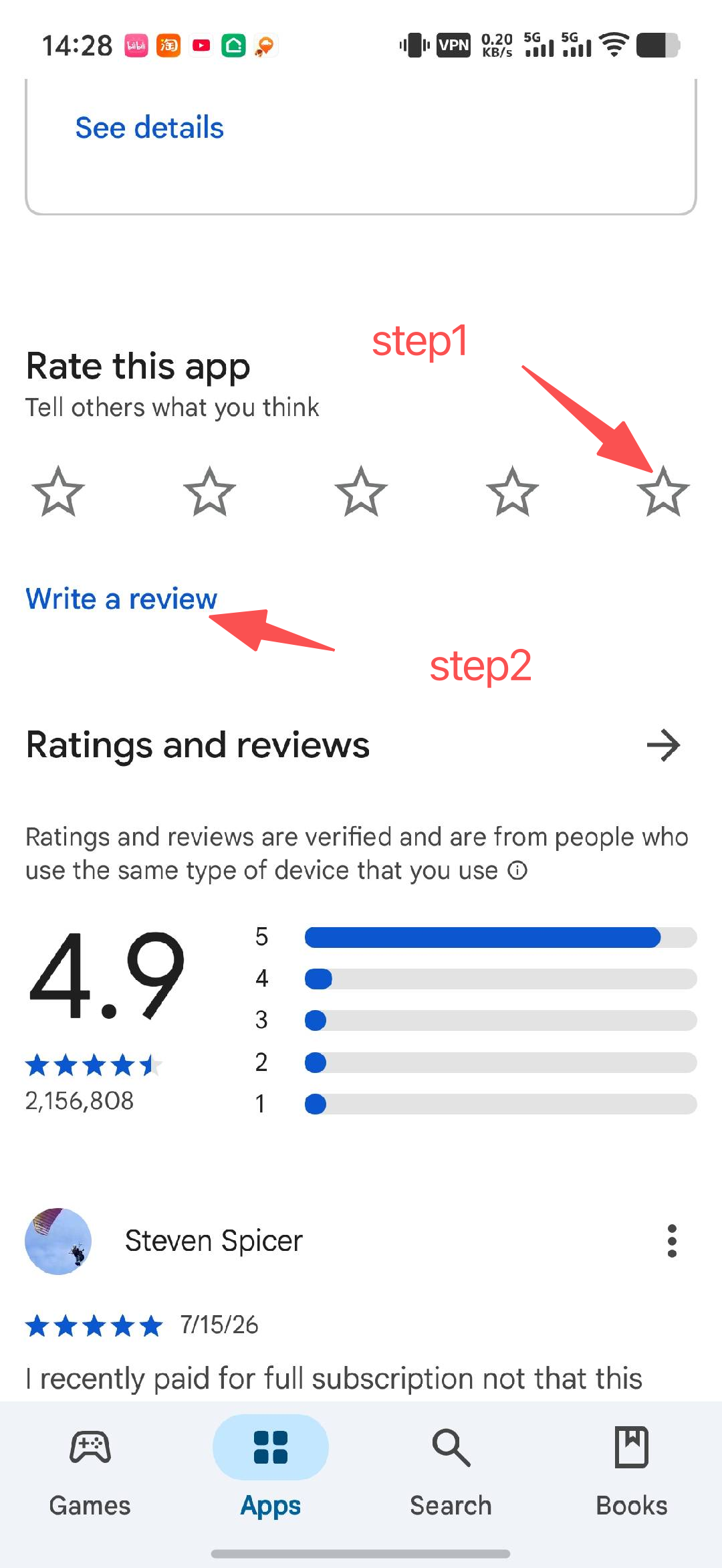
Tap 5 stars on the app page and choose Write a review
3
Fill in the content and tap Post
Type the review content. For tasks with comments, tap “Copy comment” on the BetaReward task page first, paste the title and content, then tap “Post”.
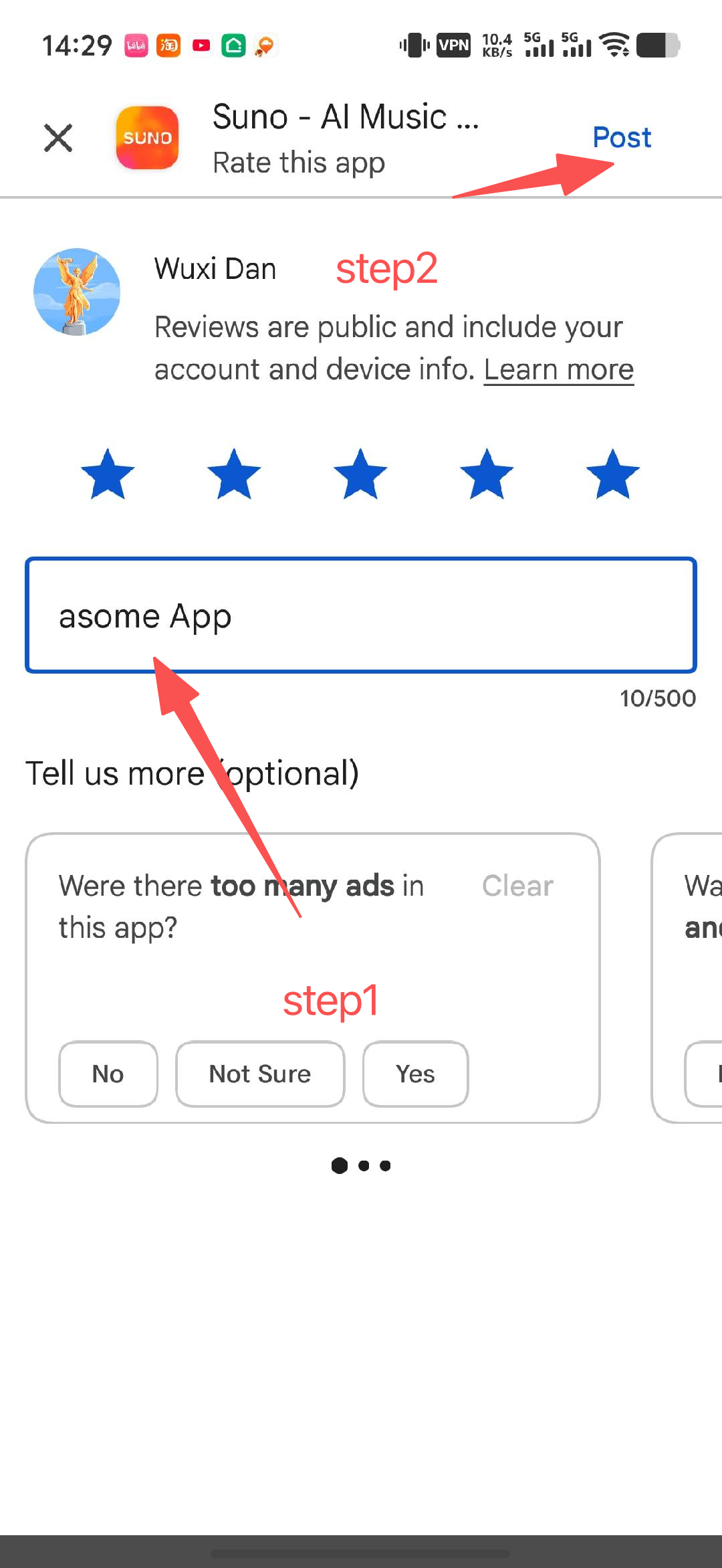
Fill in the review and tap Post
💡 DoneAfter publishing, upload 1-6 review screenshots on the BetaReward task page. Commission is credited to your wallet instantly after verification.
🎯 After finishing
- Install and open the app, and keep screenshots for submission
- Tap “Copy comment” on the BetaReward task page and paste it into the Google Play review box
- After publishing, upload the review screenshots (1-6) on the task page
- Commission is credited to your wallet instantly after verification
- Tasks with comments must be completed within 1 hour or they expire